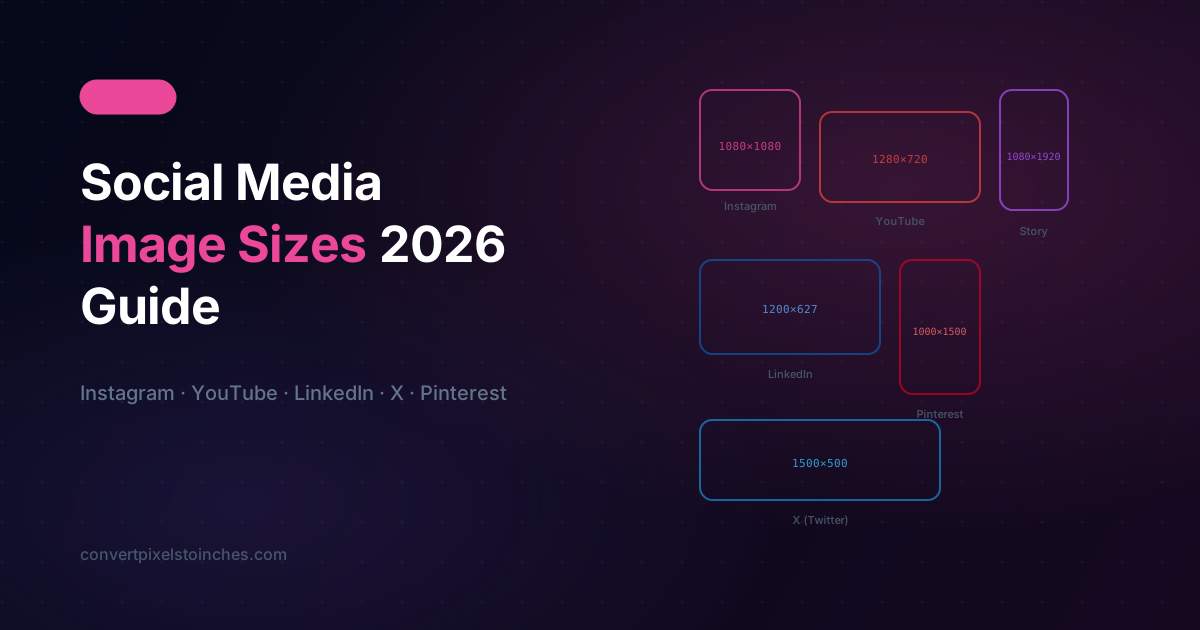
Why Image Sizes Matter on Social Media
Upload the wrong size and platforms will crop, stretch, or compress your image — destroying the quality you worked hard to achieve. Every major platform has its own specifications, and they update them regularly.
This guide gives you the correct pixel dimensions for 2026 and shows how they translate to inches for print-quality exports.
| Format | Pixels | Aspect Ratio |
|---|---|---|
| Square post | 1080 × 1080 | 1:1 |
| Portrait post | 1080 × 1350 | 4:5 |
| Landscape post | 1080 × 566 | 1.91:1 |
| Story / Reel | 1080 × 1920 | 9:16 |
| Profile photo | 320 × 320 | 1:1 |
At 96 PPI: A 1080 × 1920 Story = 11.25 × 20 inches (logical) At 300 PPI: A 1080 × 1920 Story = 3.6 × 6.4 inches (print export)
YouTube
| Format | Pixels | Aspect Ratio |
|---|---|---|
| Thumbnail | 1280 × 720 | 16:9 |
| Channel banner | 2560 × 1440 | 16:9 |
| Channel icon | 800 × 800 | 1:1 |
| End screen | 1920 × 1080 | 16:9 |
YouTube thumbnails at 300 DPI = 4.27 × 2.40 inches — postcard-sized for print.
| Format | Pixels | Aspect Ratio |
|---|---|---|
| Profile photo | 400 × 400 | 1:1 |
| Cover photo | 1584 × 396 | 4:1 |
| Post image | 1200 × 627 | 1.91:1 |
| Company logo | 300 × 300 | 1:1 |
| Article cover | 1920 × 1080 | 16:9 |
| Format | Pixels | Aspect Ratio |
|---|---|---|
| Profile photo | 170 × 170 | 1:1 |
| Cover photo | 851 × 315 | 2.7:1 |
| Post image | 1200 × 630 | 1.91:1 |
| Story | 1080 × 1920 | 9:16 |
| Event cover | 1920 × 1080 | 16:9 |
X (Twitter)
| Format | Pixels | Aspect Ratio |
|---|---|---|
| Profile photo | 400 × 400 | 1:1 |
| Header image | 1500 × 500 | 3:1 |
| In-stream photo | 1600 × 900 | 16:9 |
| Card image | 1200 × 628 | 1.91:1 |
| Format | Pixels | Aspect Ratio |
|---|---|---|
| Standard pin | 1000 × 1500 | 2:3 |
| Square pin | 1000 × 1000 | 1:1 |
| Tall pin | 1000 × 2100 | 1:2.1 |
| Profile photo | 165 × 165 | 1:1 |
Pinterest’s tall 2:3 ratio at 300 DPI = 3.33 × 5 inches — ideal for repurposing as physical flyers.
Converting Social Media Sizes to Inches
Use our pixel to inch calculator with these settings:
- Screen mockups: 96 PPI
- Print exports of the same files: 300 PPI
- Retina-optimized assets: 220 PPI
Quick examples at 300 PPI
| Social size | Inches at 300 PPI |
|---|---|
| 1080 × 1080 | 3.6” × 3.6” |
| 1280 × 720 | 4.27” × 2.4” |
| 1920 × 1080 | 6.4” × 3.6” |
| 1080 × 1920 | 3.6” × 6.4” |
| 2560 × 1440 | 8.53” × 4.8” |
Tips for Cross-Platform Design
- Design at the largest size first — scale down for smaller formats without quality loss.
- Use 1:1 and 16:9 as your base — they cover the widest platform range.
- Keep important content in the center 80% — platforms crop from the edges on different devices.
- Export at 2× your target pixels for Retina-quality social posts.
- Save as PNG for graphics, JPEG for photos — smaller file sizes without visible quality loss.
This article was written by Haider Usman and reviewed by the ConvertPixelstoInches.com Editorial Team for accuracy and completeness. All conversion formulas and technical values are verified against industry standards. Last updated March 29, 2026.
Specialist in digital design workflows, print production, and screen technology. Contributor to ConvertPixelstoInches.com with a focus on making pixel-to-inch conversions accurate and accessible for designers, developers, and print professionals.